Umami Analytics
Umami is a simple, fast, privacy-focused alternative to Google Analytics, as described by their Github Repo.


Umami with Traefik
Our docker-compose.yml which includes traefik reverse proxy only running on http, for https see this blogpost:
version: "3.9"

services:
  traefik:
    image: traefik:v2.4.5
    container_name: traefik
    command: [ '--providers.docker', '--api.insecure' ]
    networks:
      - contained
    ports:
      - 80:80
    volumes:
      - /var/run/docker.sock:/var/run/docker.sock
    labels:
      - "traefik.http.routers.traefik.rule=Host(`traefik.127.0.0.1.nip.io`)"
      - "traefik.http.services.traefik.loadbalancer.server.port=8080"

  umami-ui:
    image: ghcr.io/mikecao/umami:postgresql-latest
    container_name: umami-ui
    environment:
      - DATABASE_URL=postgresql://umami:umamipassword@umami-db:5432/umami
      - DATABASE_TYPE=postgresql
      - HASH_SALT=examplesaltSjinne8fnrdoiXpsa
    networks:
      - contained
    depends_on:
      traefik:
        condition: service_started
      umami-db:
        condition: service_healthy
    labels:
      - "traefik.http.routers.minio.rule=Host(`umami.127.0.0.1.nip.io`)"
      - "traefik.http.services.minio.loadbalancer.server.port=3000"

  umami-db:
    image: postgres:12-alpine
    container_name: umami-db
    environment:
      - POSTGRES_DB=umami
      - POSTGRES_USER=umami
      - POSTGRES_PASSWORD=umamipassword
    volumes:
      - umami-data:/var/lib/postgresql/data
    networks:
      - contained
    healthcheck:
      test: ["CMD-SHELL", "pg_isready -U umami -d umami"]
      interval: 30s
      timeout: 10s
      retries: 5
      start_period: 60s

volumes:
  umami-data:
    name: umami-data

networks:
  contained:
    name: contained
Boot the stack:
docker-compose -f docker-compose.yml up -d
We need to seed the database with this schema which I am storing as umami.sql in my current working directory:
drop table if exists event;
drop table if exists pageview;
drop table if exists session;
drop table if exists website;
drop table if exists account;

create table account (
    user_id serial primary key,
    username varchar(255) unique not null,
    password varchar(60) not null,
    is_admin bool not null default false,
    created_at timestamp with time zone default current_timestamp,
    updated_at timestamp with time zone default current_timestamp
);

create table website (
    website_id serial primary key,
    website_uuid uuid unique not null,
    user_id int not null references account(user_id) on delete cascade,
    name varchar(100) not null,
    domain varchar(500),
    share_id varchar(64) unique,
    created_at timestamp with time zone default current_timestamp
);

create table session (
    session_id serial primary key,
    session_uuid uuid unique not null,
    website_id int not null references website(website_id) on delete cascade,
    created_at timestamp with time zone default current_timestamp,
    hostname varchar(100),
    browser varchar(20),
    os varchar(20),
    device varchar(20),
    screen varchar(11),
    language varchar(35),
    country char(2)
);

create table pageview (
    view_id serial primary key,
    website_id int not null references website(website_id) on delete cascade,
    session_id int not null references session(session_id) on delete cascade,
    created_at timestamp with time zone default current_timestamp,
    url varchar(500) not null,
    referrer varchar(500)
);

create table event (
    event_id serial primary key,
    website_id int not null references website(website_id) on delete cascade,
    session_id int not null references session(session_id) on delete cascade,
    created_at timestamp with time zone default current_timestamp,
    url varchar(500) not null,
    event_type varchar(50) not null,
    event_value varchar(50) not null
);

create index website_user_id_idx on website(user_id);

create index session_created_at_idx on session(created_at);
create index session_website_id_idx on session(website_id);

create index pageview_created_at_idx on pageview(created_at);
create index pageview_website_id_idx on pageview(website_id);
create index pageview_session_id_idx on pageview(session_id);
create index pageview_website_id_created_at_idx on pageview(website_id, created_at);
create index pageview_website_id_session_id_created_at_idx on pageview(website_id, session_id, created_at);

create index event_created_at_idx on event(created_at);
create index event_website_id_idx on event(website_id);
create index event_session_id_idx on event(session_id);

insert into account (username, password, is_admin) values ('admin', '$2b$10$BUli0c.muyCW1ErNJc3jL.vFRFtFJWrT8/GcR4A.sUdCznaXiqFXa', true);
Then we can use a docker container to run this sql script against the database container:
docker run --rm -it -v $PWD/umami.sql:/tmp/umami.sql --network contained postgres:12-alpine psql -h umami-db -U umami -d umami -a -f /tmp/umami.sql
Access Umami via the UI
You can access Minio at http://umami.127.0.0.1.nip.io and the username will be admin and the password umami.
After logon, you will see this ui:
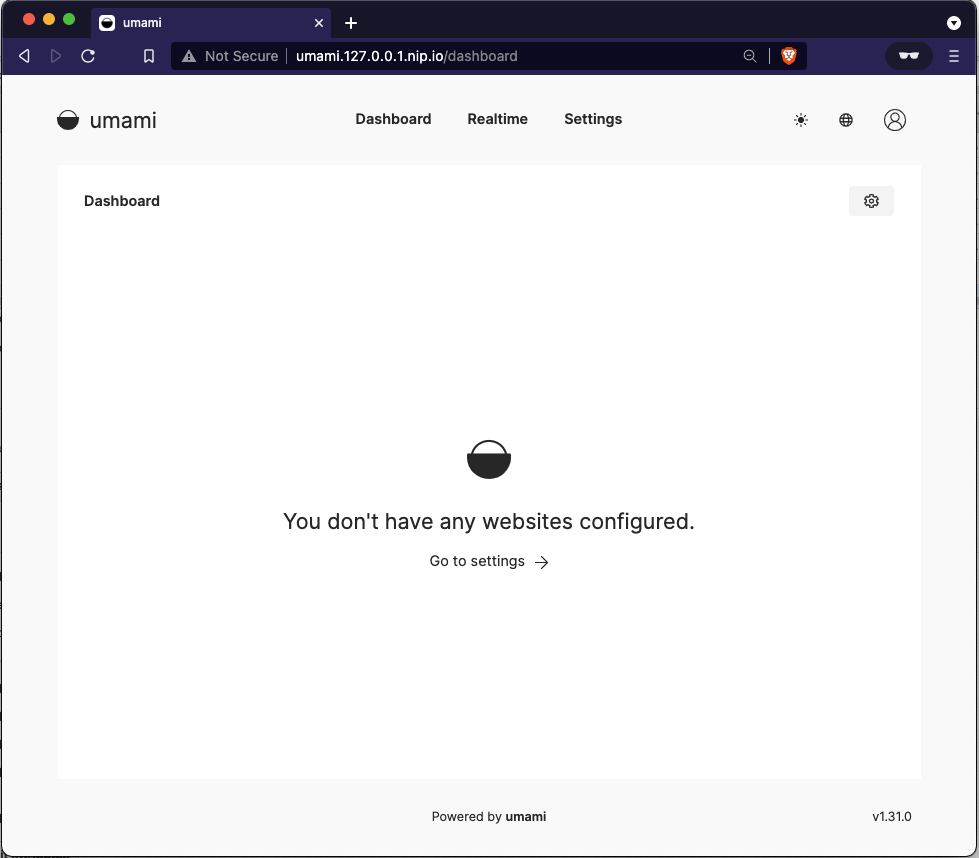
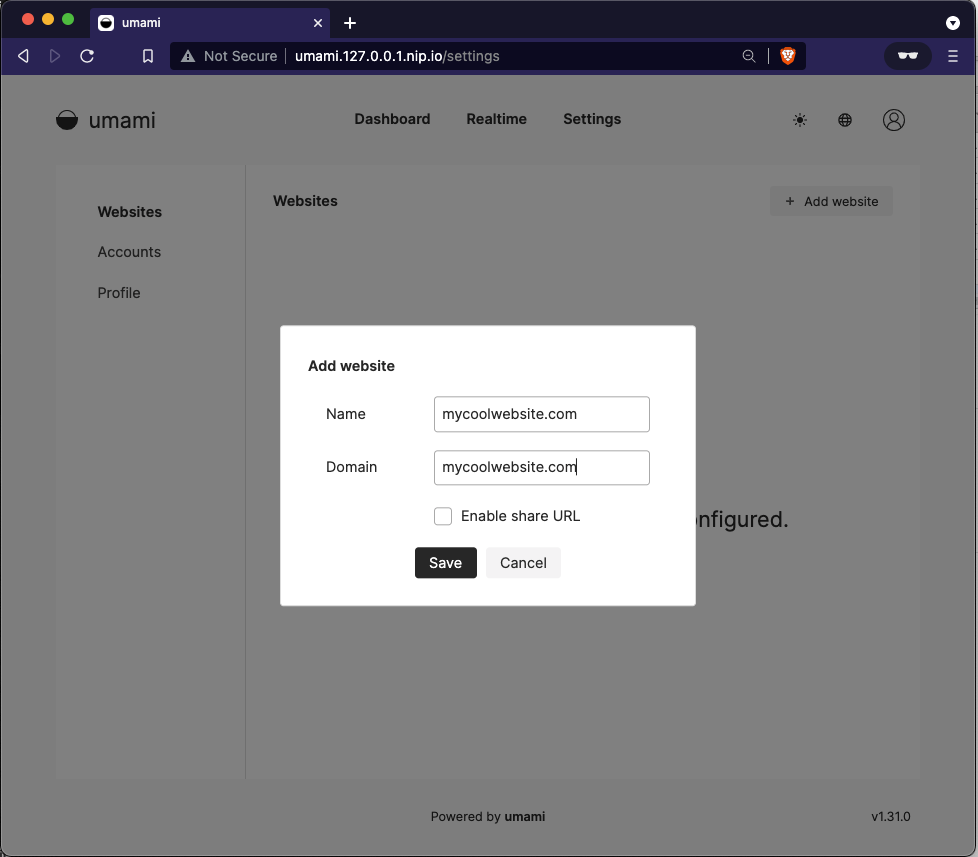
Then to add a website that you would like to track, select "settings", on "websites", select "add a website", then provide the fully qualified domain name:
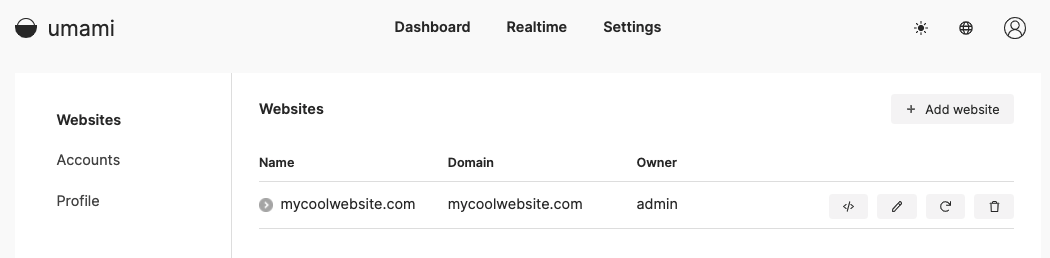
Once you've added the website, you should see the website listed:
Click the ` button to get the code that you need to place under the
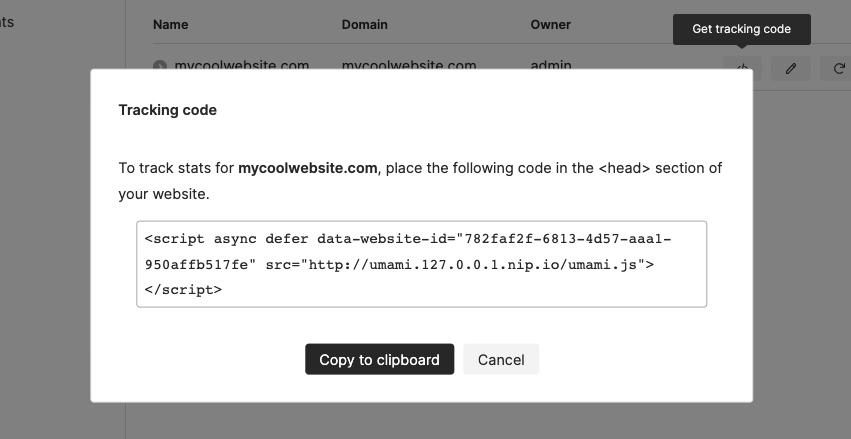
The caveat of this example that you can see, is that whenever someone access our website, a request will be executed to http://umami.127.0.0.1.nip.io/umami.js which is not routable over the internet.
But you can resolve that by using a public routable ip address, enabling ssl on traefik and setting up dns to your setup, more info in this blogpost.
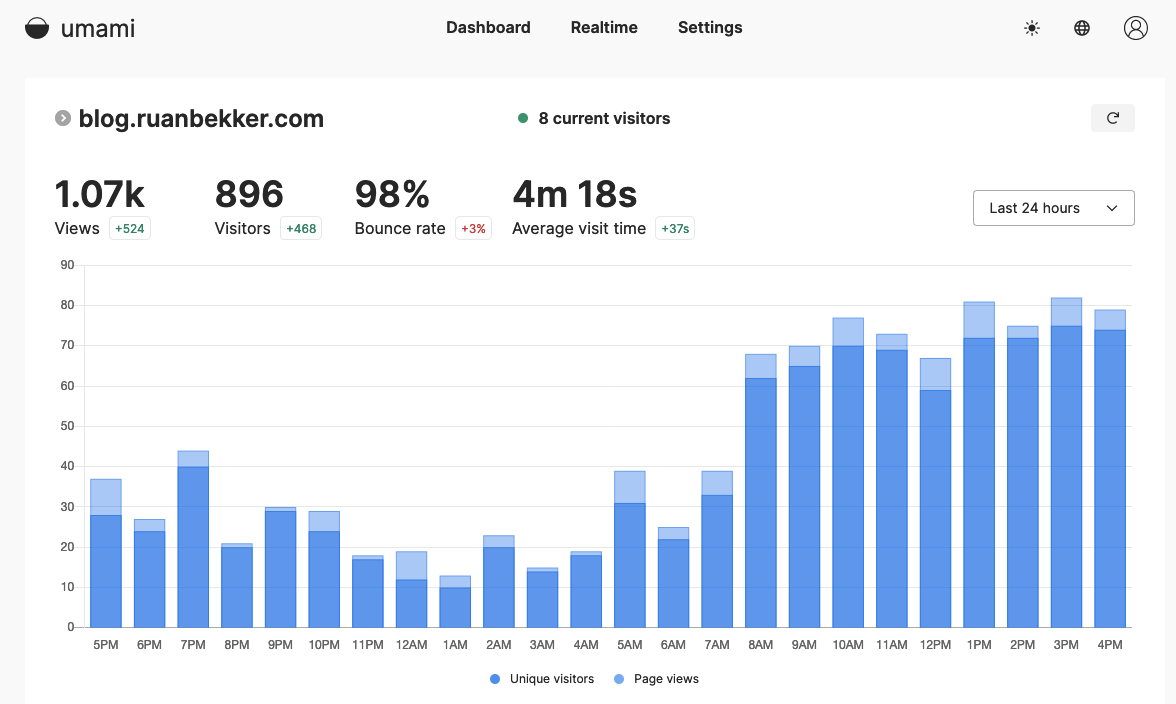
From a public instance the analytics for a configured website will look more or less like this:
More info
To learn more from Umami, see their documentation
Source Code
If you are looking for the source code, feel free to visit me in the cafe and I will be happy to share it.